
Step 01
Discover & Register
Schools and Marks Entrants Find Matigo
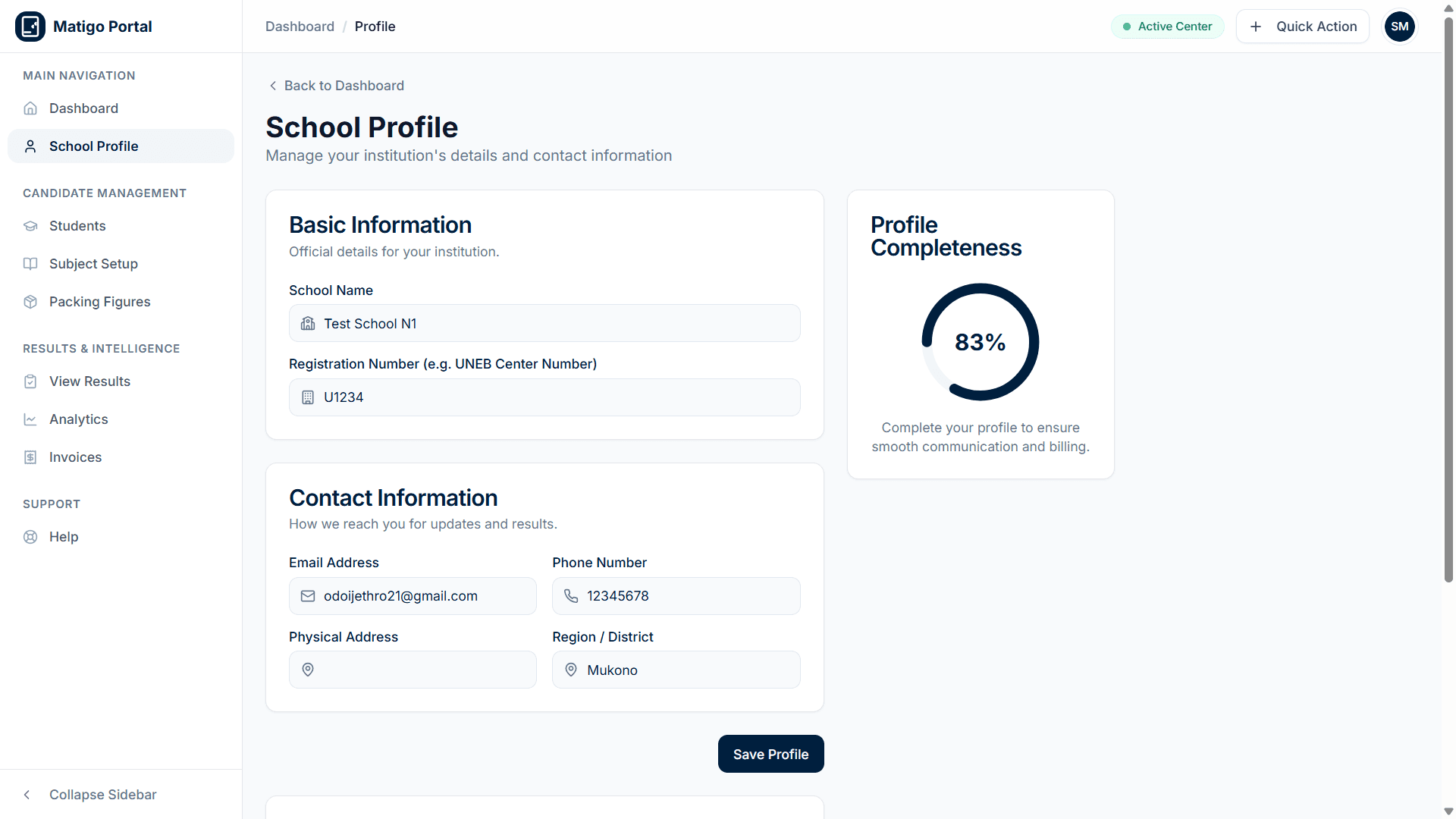
Schools seeking a reliable mock examination platform discover Matigo through recommendations, district education offices, or online search. Marks Entrants — qualified subject specialists — register to offer their grading expertise. Both complete a straightforward online registration form with their institutional or professional details.
Every registration is reviewed by an administrator before access is granted. This manual verification ensures that only legitimate schools and qualified marksEntrants enter the system, maintaining the integrity of every assessment conducted through the platform.
Step 02
Verification & Approval
Administrators Verify Each Account
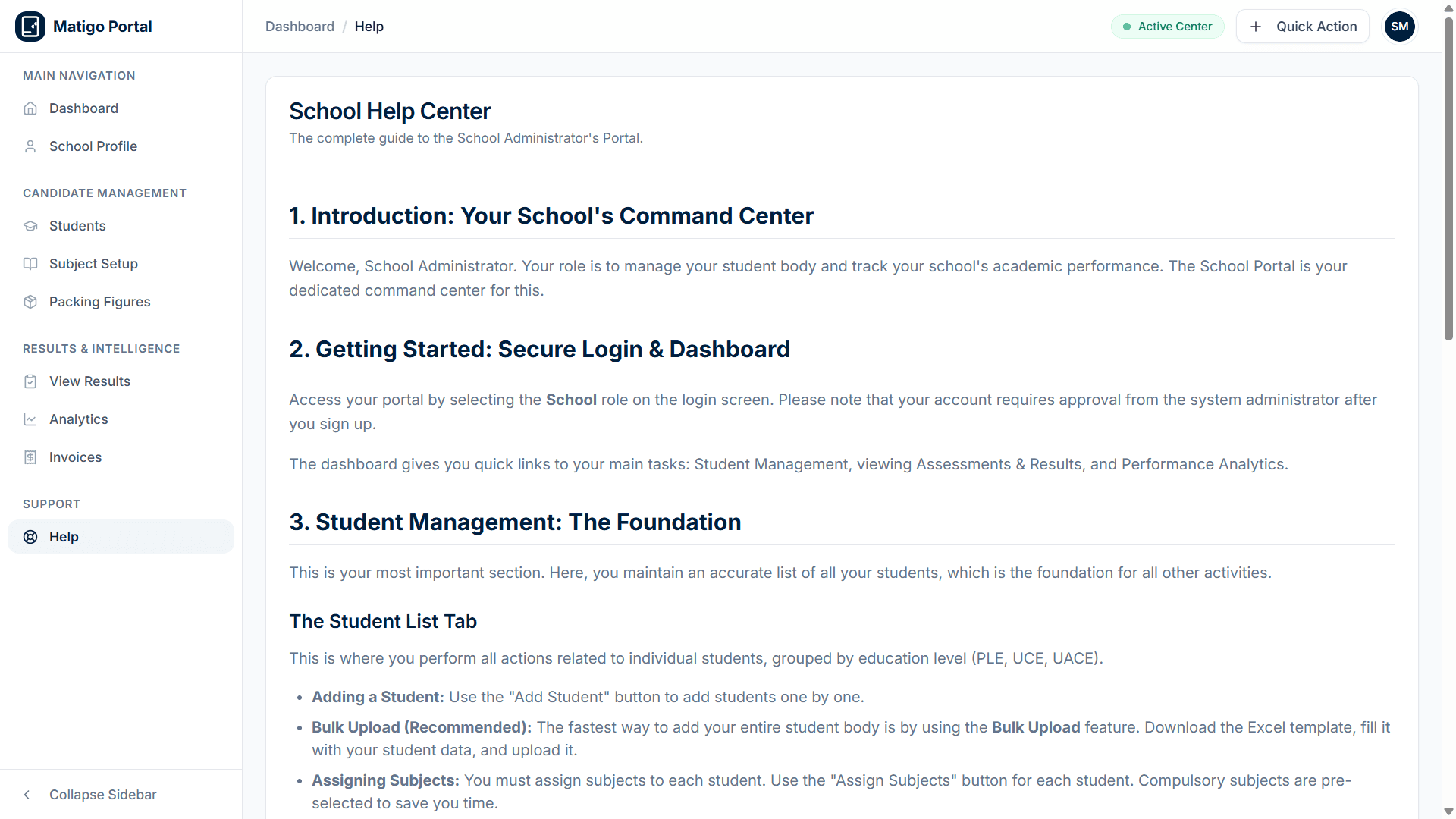
Once submitted, each registration enters a review queue. Administrators verify the school's accreditation, the marksEntrant's qualifications, and the accuracy of the submitted information. This step is critical — it prevents unauthorized access and ensures every participant in the examination process is legitimate.
Approved accounts receive immediate access to their respective dashboards. Schools see their student management tools, while marksEntrants see their assessment creation and marks entry workbench. Rejected applicants are notified with reasons and guidance on reapplying.
Step 03
System Configuration
Set Up Your Examination Framework
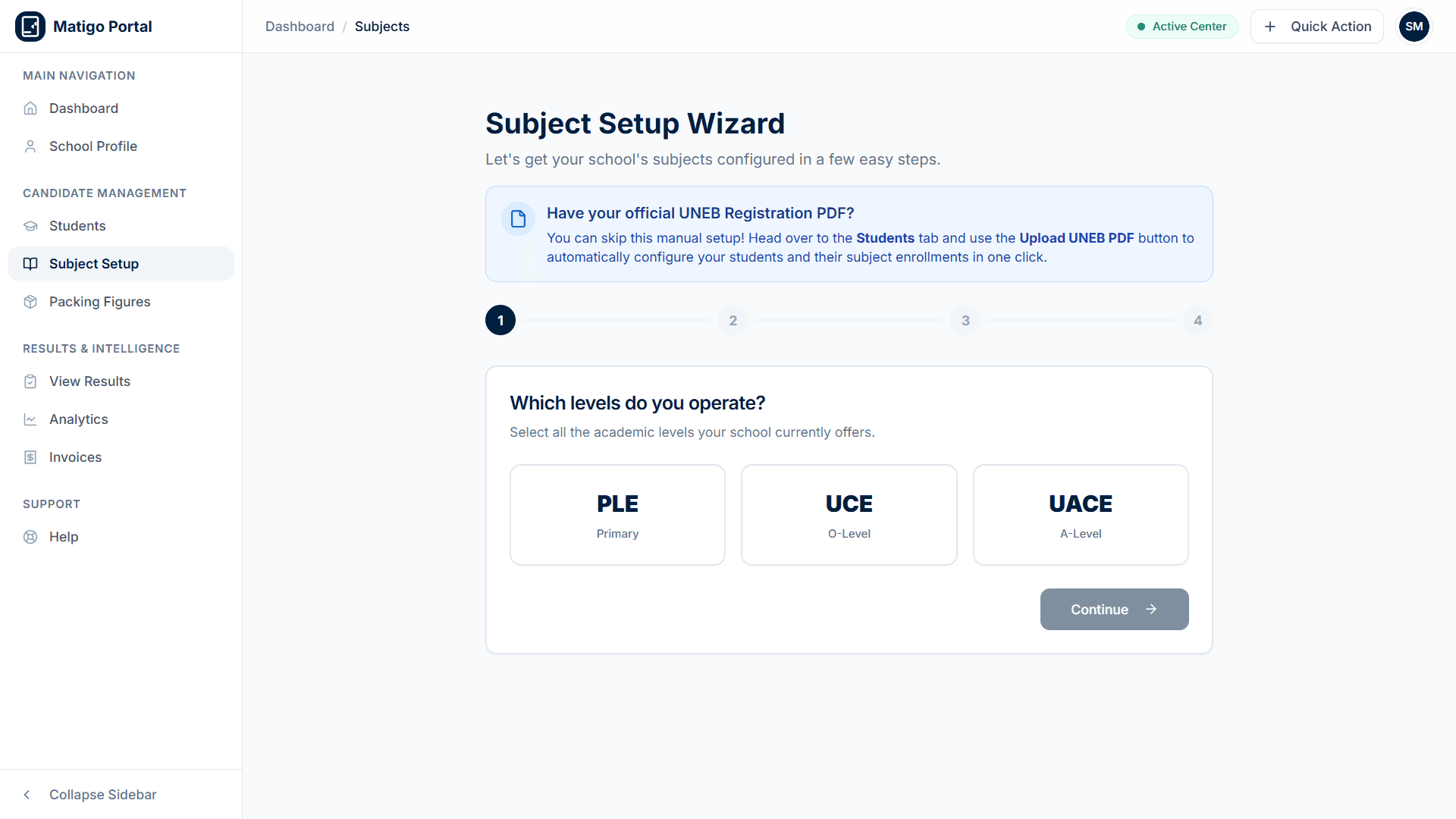
Administrators configure the platform for their specific needs. This includes selecting the examination level (PLE, UCE, or UACE), setting up the subjects and papers offered at the school, and defining the grading schemes that will be used to evaluate student performance.
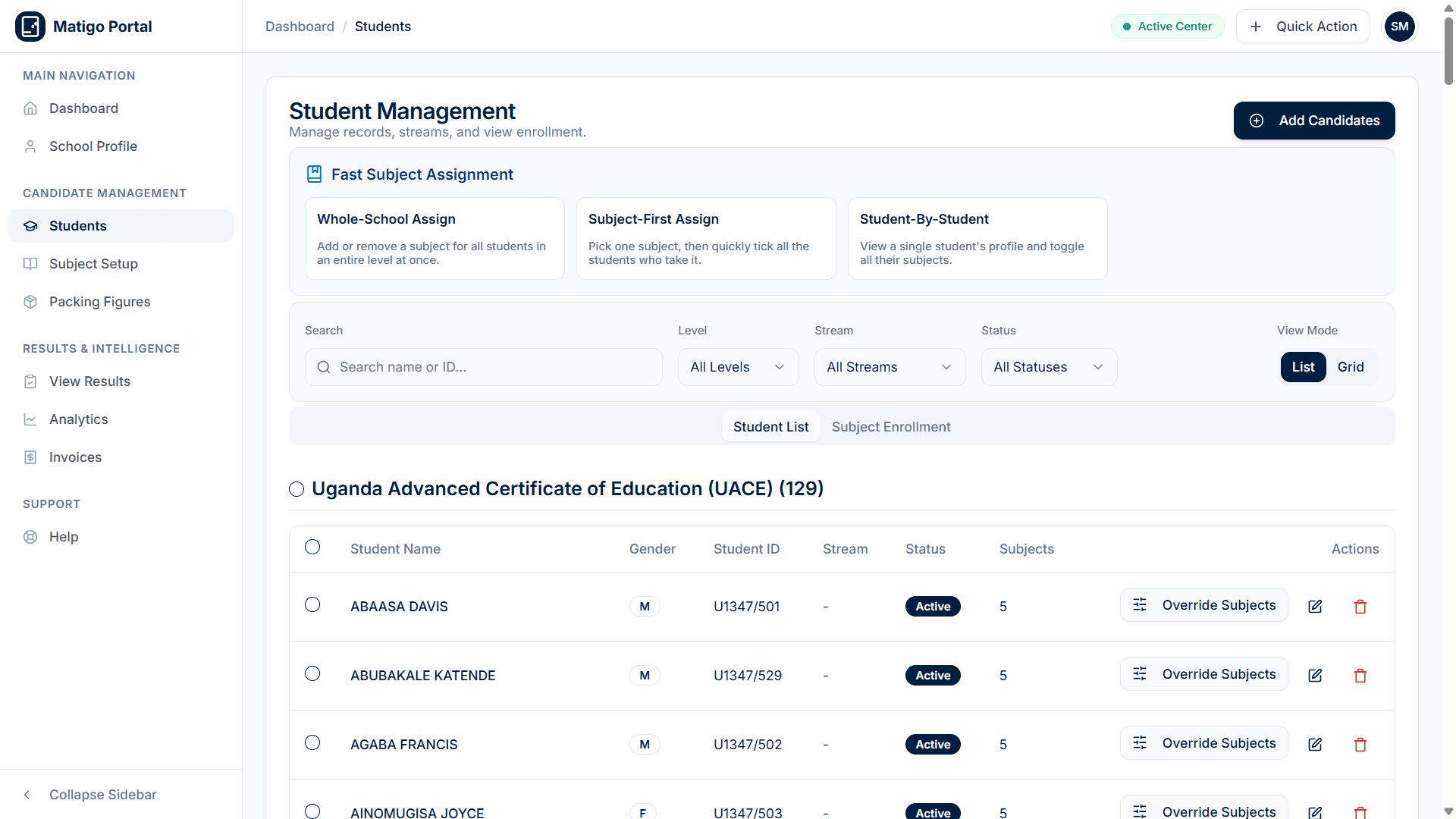
Schools then register their students — either individually or via bulk Excel upload — and assign each student to the appropriate subjects. The system validates all entries in real time, catching duplicates and incomplete records before they cause problems during assessment.
Step 04
Student Roster Setup
Register Candidates & Allocate Subjects
Schools onboard candidate cohorts by importing rosters directly through Excel or adding individual learners. Each student is assigned to their designated examination level and curriculum stream.
Automated validation checks every entry in real time, catching duplicate student index numbers, incomplete fields, and incorrect subject combinations before assessments begin.
Step 05
Assessment Creation
Marks Entrants Build and Distribute Assessments
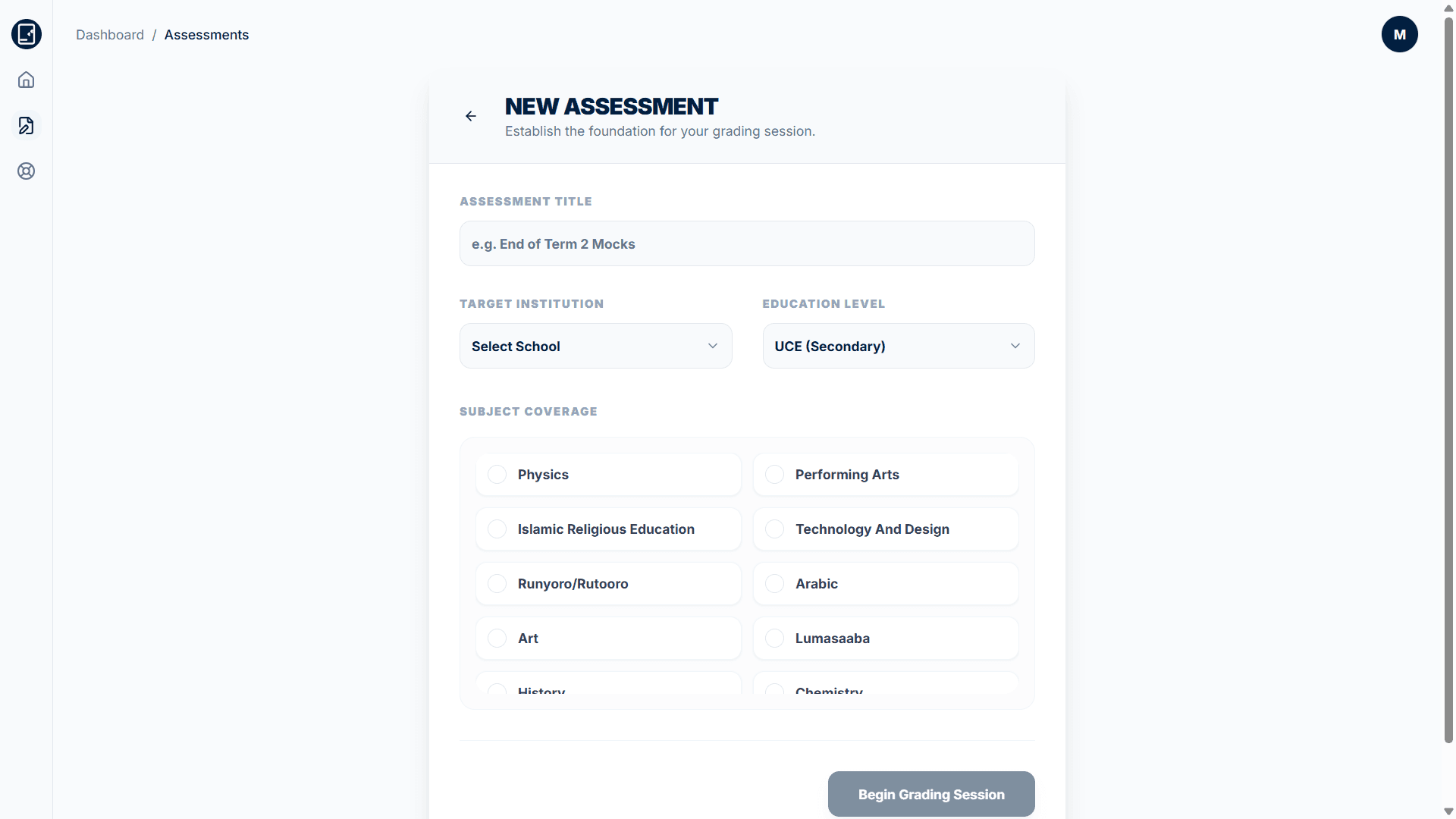
Marks Entrants create new assessments by selecting the target school, examination level, and subjects. They define the assessment parameters — paper codes, mark allocations, and grading boundaries — then distribute the assessment to the relevant schools through the platform.
Each assessment is linked to specific schools and subjects, ensuring that only authorized marksEntrants can access and grade the relevant student papers. The system maintains a complete record of every assessment created, including its configuration and distribution history.
Step 06
Marks Entry & Grading
Marks Entrants Input Scores in Real Time
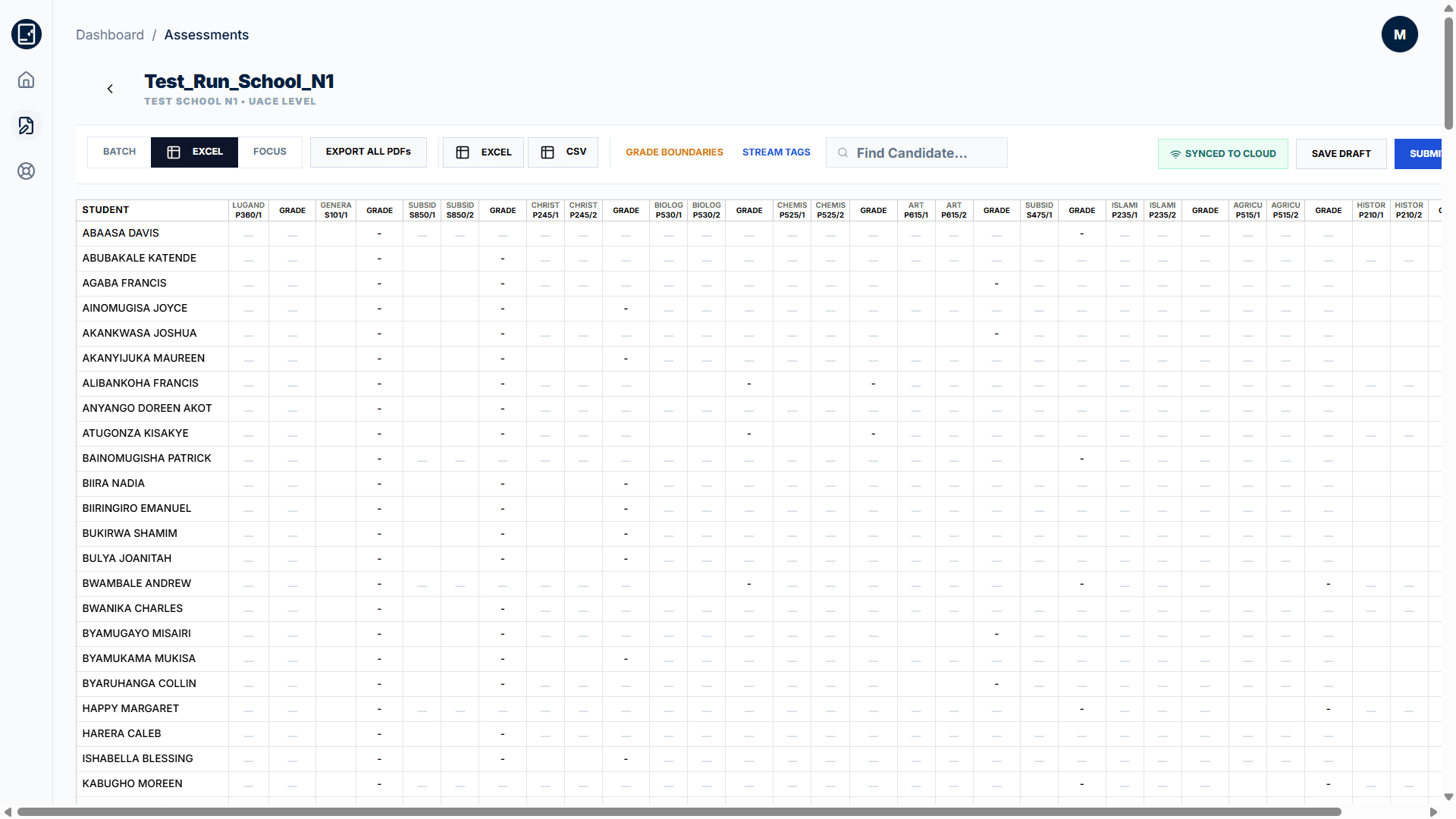
Using the Marks Entry Workbench, marksEntrants input student scores paper by paper. The system calculates grades in real time based on the configured grading scheme, flagging any entries that fall outside expected ranges. Marks Entrants can review and correct entries before final submission.
The workbench supports bulk entry for efficiency while maintaining per-student validation. Every mark entered is timestamped and attributed to the entering marksEntrant, creating a complete audit trail for accountability and dispute resolution.
Step 07
Result Submission & Delivery
Graded Results Are Delivered to Schools
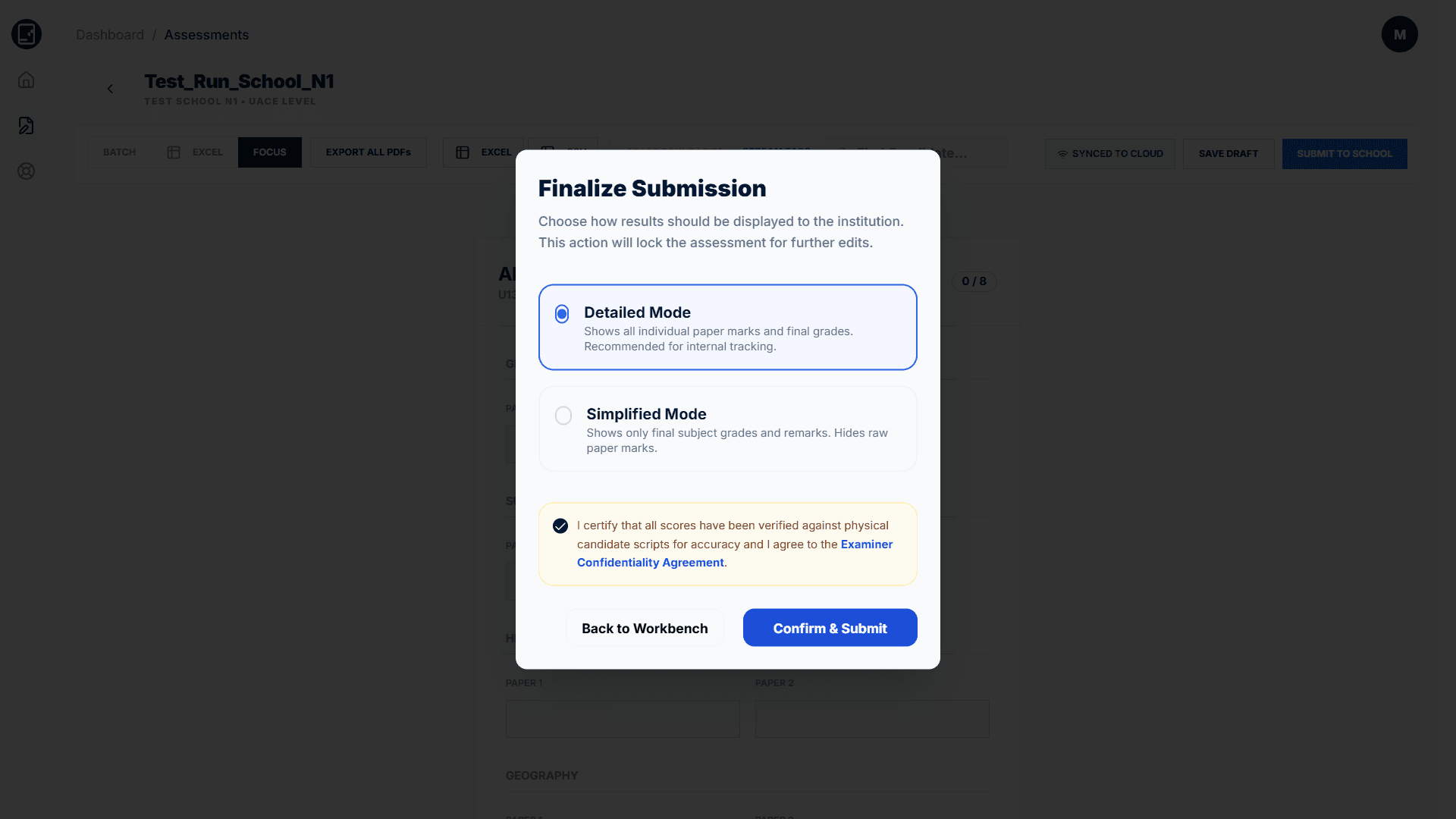
Once all marks are entered and reviewed, the marksEntrant submits the assessment. Schools receive instant access to the complete results, including subject-wise breakdowns, class averages, grade distributions, and individual student scores.
The submission triggers automatic analytics generation — the platform computes performance trends, identifies top and bottom performers by subject, and prepares the data for result slip generation.
Step 08
Diagnostic Intelligence
Unlock Actionable Academic Intelligence
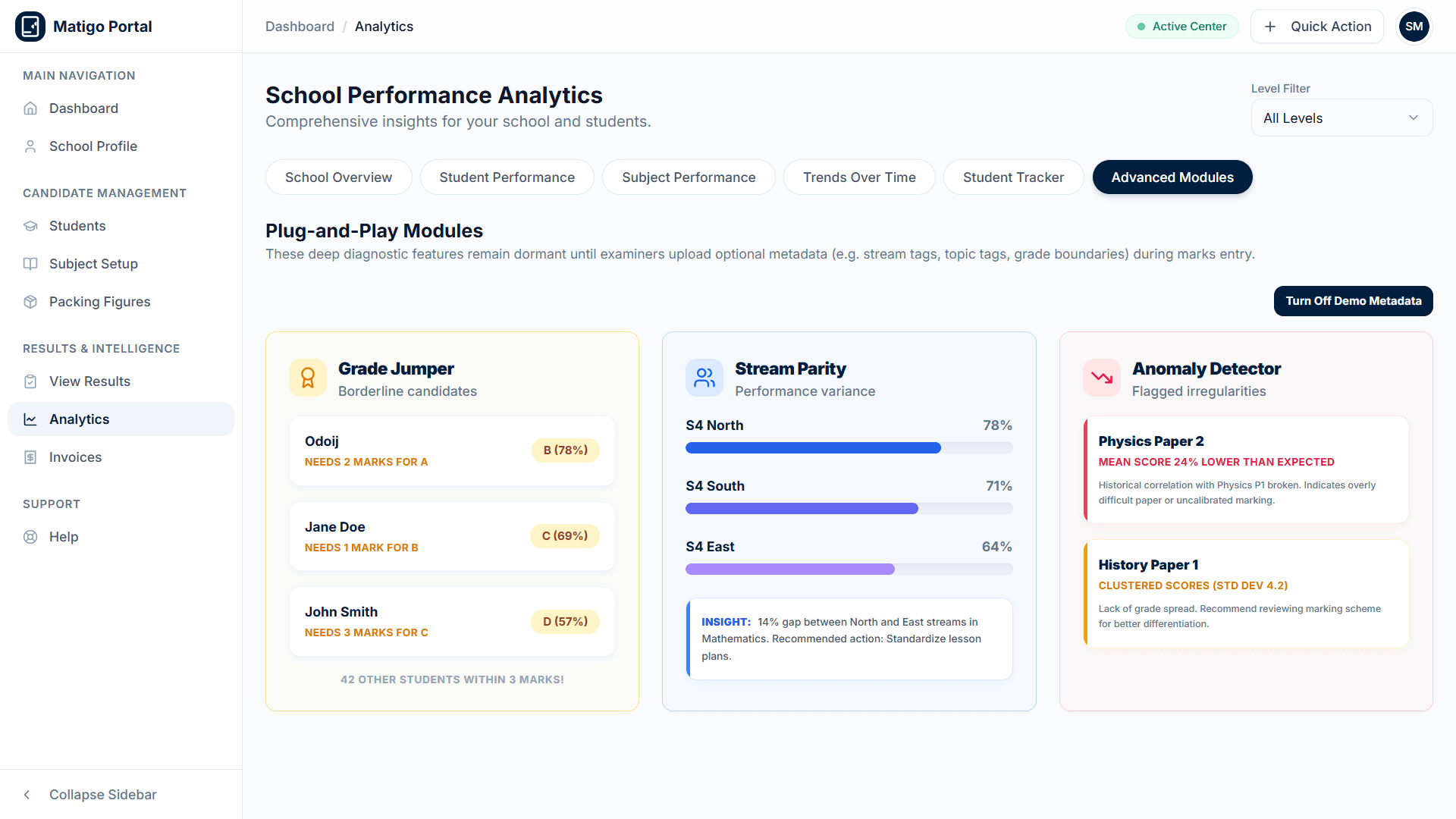
Transform examination data into measurable student improvements. Deploy deep diagnostic modules to identify borderline candidates near higher grade boundaries, evaluate teaching consistency across streams, and flag paper anomalies.
Schools access real-time grade distributions, comparative stream analytics, and automated HOD action plans directly from their institutional analytics portal.
The Complete Lifecycle,
One Platform
Every step — from registration through result slip delivery — is managed within Matigo. No spreadsheets, no paper forms, no manual calculations. Just a secure, transparent, and efficient examination process.