
Built for Real
Examination Workflows
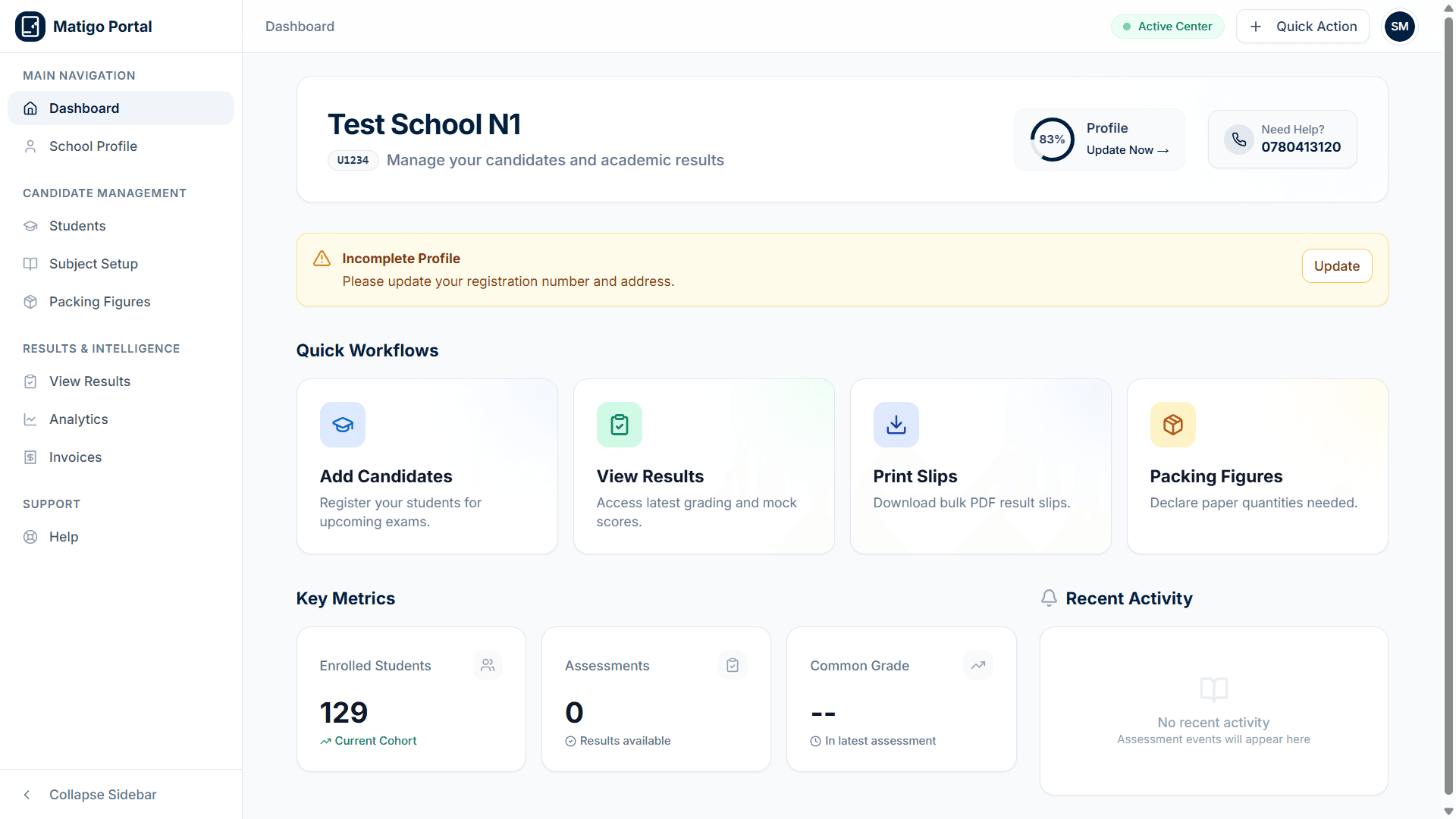
Matigo isn't a generic education tool adapted for Uganda. It was designed from the ground up around the specific requirements of Ugandan mock examinations — the grading schemes, the subject structures, the result formats, and the audit requirements that schools and districts demand.
For Schools
School Dashboard Features
Everything a school needs to manage candidates, configure curricula, track performance, and inspect official logistics.
Student Registration & Management
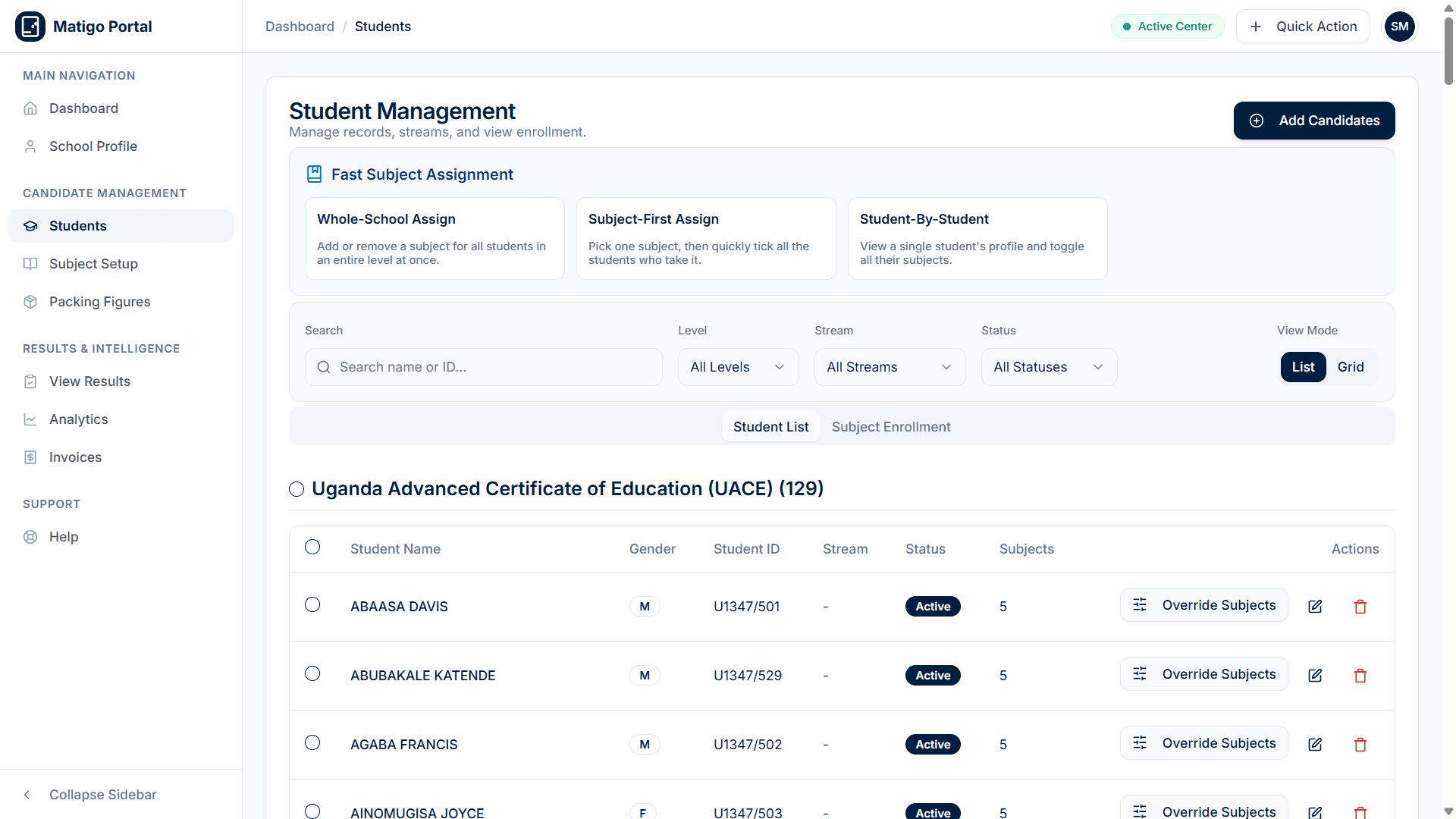
Register your entire candidate cohort quickly and accurately. Add students individually or upload full classes via Excel bulk import. Use Fast Subject Assignment tools to assign papers whole-school, subject-first, or student-by-student across PLE, UCE, or UACE.
The system validates every entry in real time, catching duplicate candidate IDs, missing fields, and invalid subject combinations before assessments begin.
- Bulk Excel upload for rapid student onboarding
- Fast Subject Assignment tools (Whole-School, Subject-First, Student-by-Student)
- Multi-level support across PLE, UCE, and UACE candidate cohorts
Curriculum & Subject Configuration
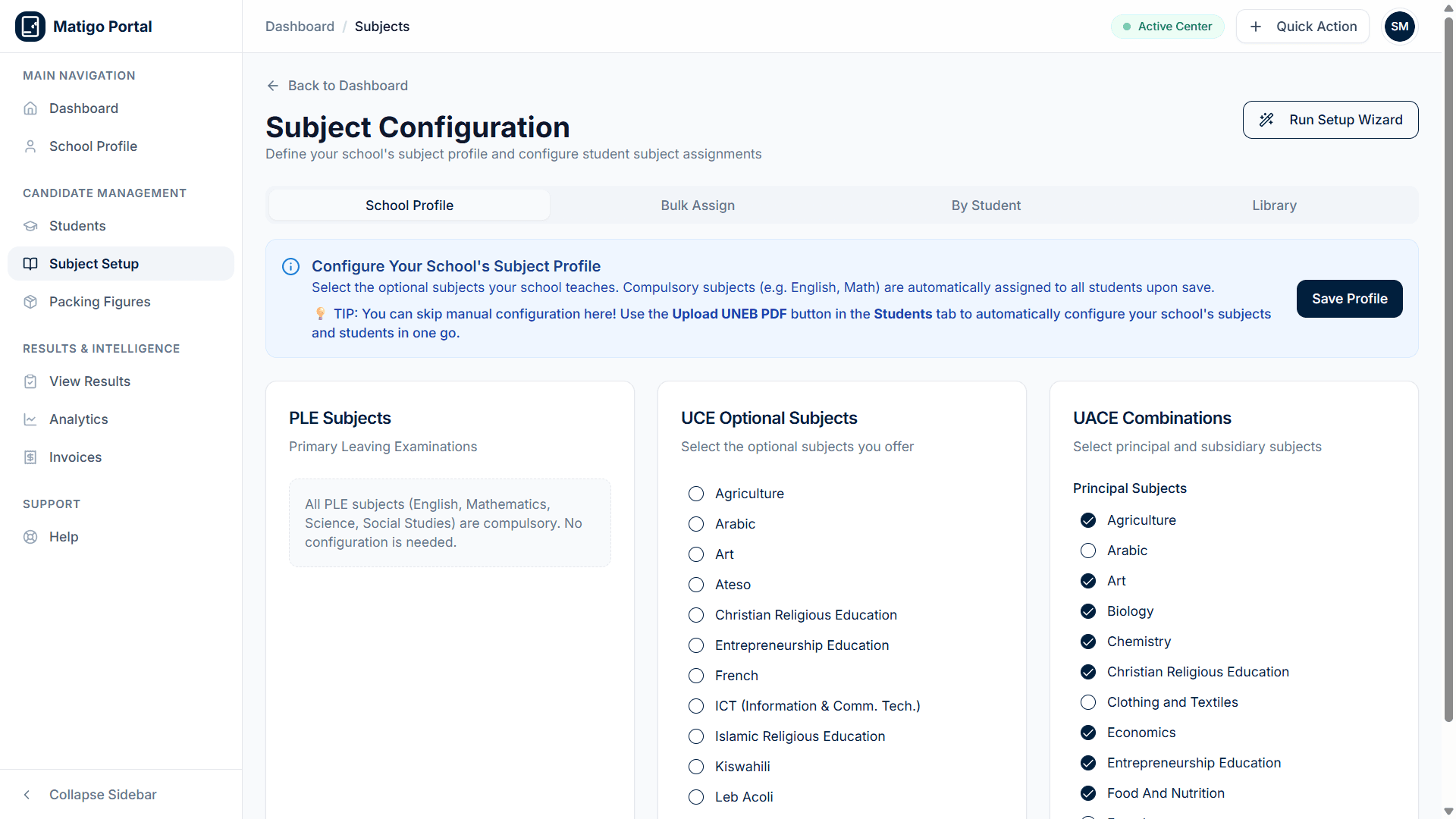
Tailor your institution's curriculum profile. Configure compulsory PLE subjects, enable elective UCE subject offerings, and select custom UACE combinations across principal and subsidiary papers.
Automatic UNEB PDF parsing allows schools to configure their subject offerings and candidate enrollments in a single automated step.
- Checklist configuration for UCE electives and UACE combination offerings
- Automatic assignment of compulsory core subjects (English, Math, General Paper)
- Guided Setup Wizard for effortless semester onboarding
Official Packing Figures & Logistics
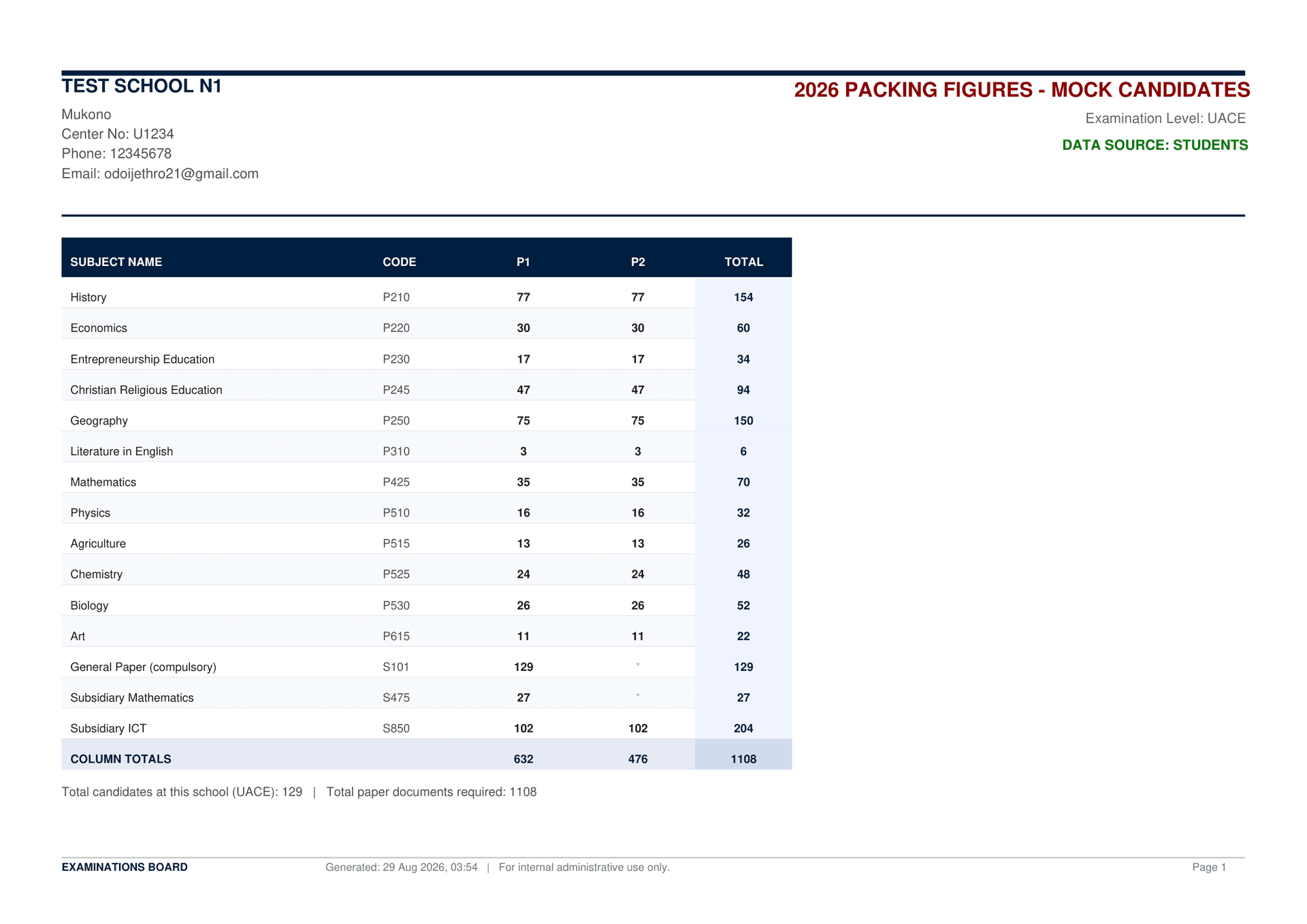
Say goodbye to paper shortages and manual counts. The system generates official Packing Figures documents directly from verified student enrollments, detailing exact required script counts for Paper 1, Paper 2, and subsidiary examinations.
Printed and archived with center timestamps, these documents guarantee that examination board packaging matches candidate counts down to the single paper.
- Automatic subject-by-subject script computation
- Breakdowns for P1, P2, and total examination documents
- Print-ready official document layout for board administration
Performance Analytics & Grade Distributions
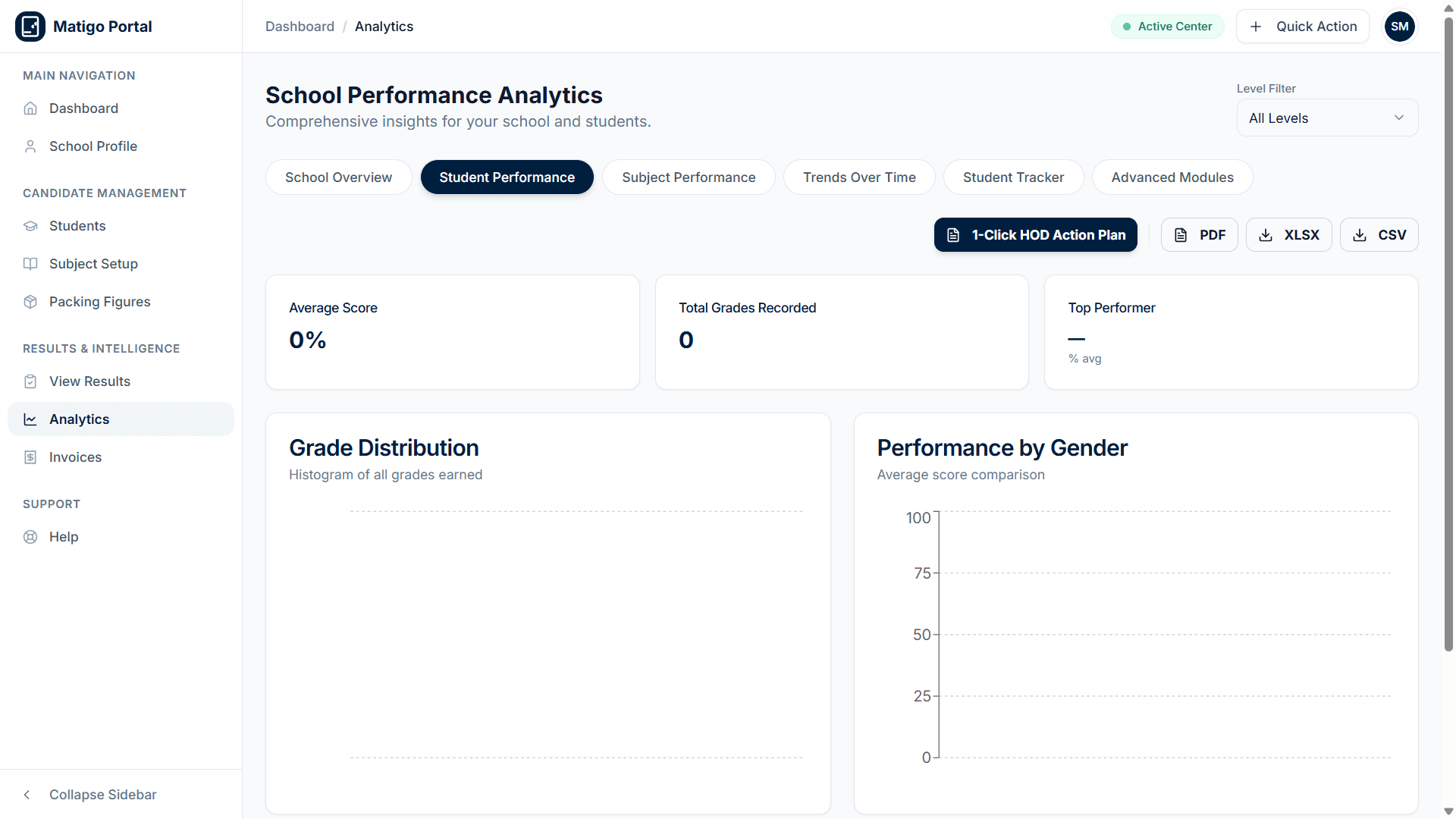
Transform raw marks into strategic academic insights. Inspect overall grade distribution histograms, comparative gender performance curves, and launch 1-Click HOD Action Plans to support teaching departments.
Export reports in PDF, XLSX, or CSV formats for board meetings, parent conferences, and institutional archival.
- Grade distribution histograms across all earned candidate scores
- Gender parity analysis and average score benchmarks
- 1-Click HOD Action Plan generation with instant exports
Plug-and-Play Diagnostic Modules
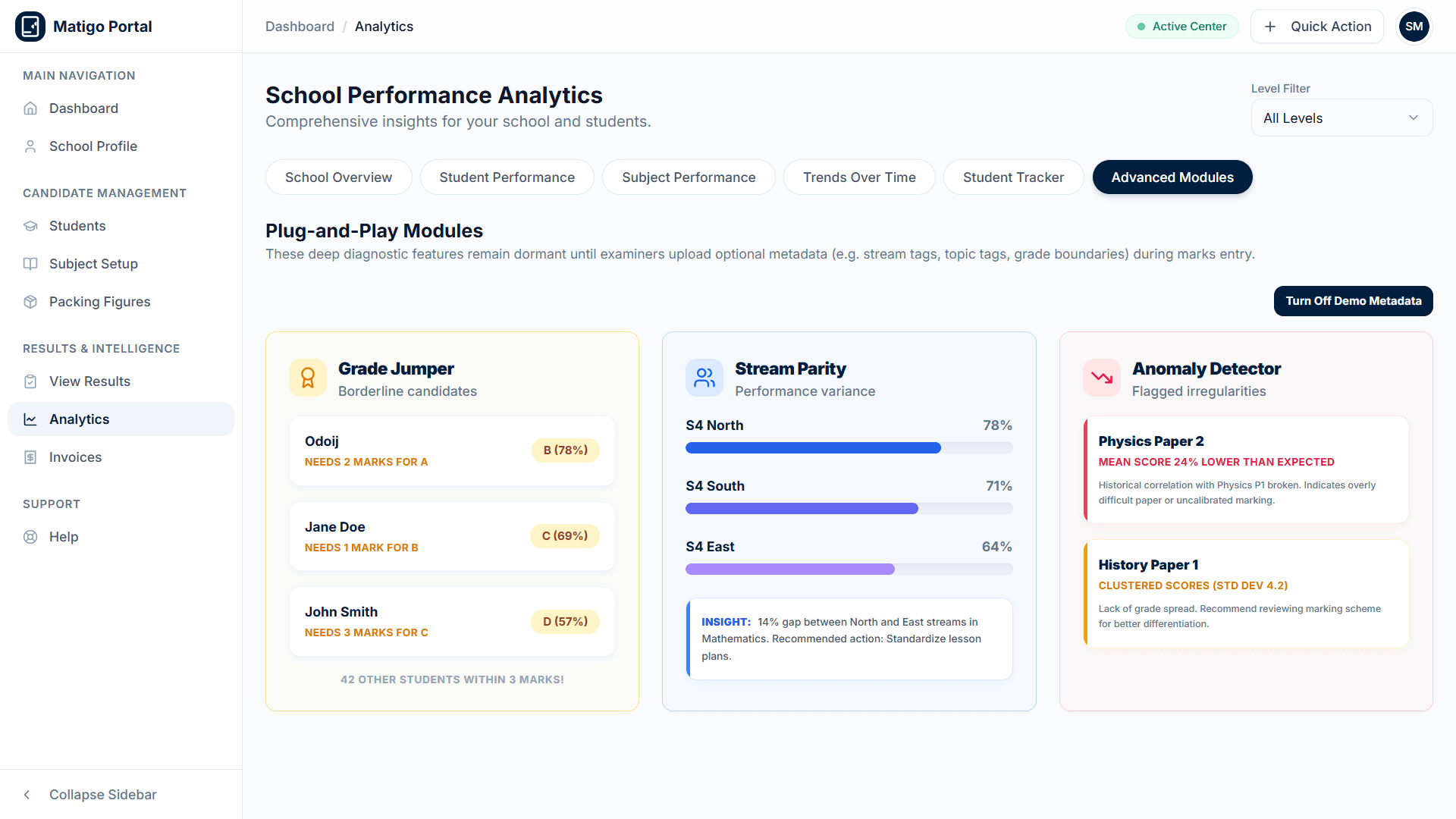
Deploy intelligent diagnostic tools that identify high-impact interventions. The Grade Jumper highlights borderline candidates sitting 1 to 3 marks away from a higher grade, while Stream Parity measures teaching consistency across classroom streams.
The Paper Anomaly Detector automatically highlights unusually harsh marking schemes, difficult papers, and clustered score distributions.
- Grade Jumper isolates candidates needing 1-3 marks to level up
- Stream Parity detects performance variance between class streams
- Paper Anomaly Detector flags uncalibrated marking in real time
Institutional Demographics & Overview
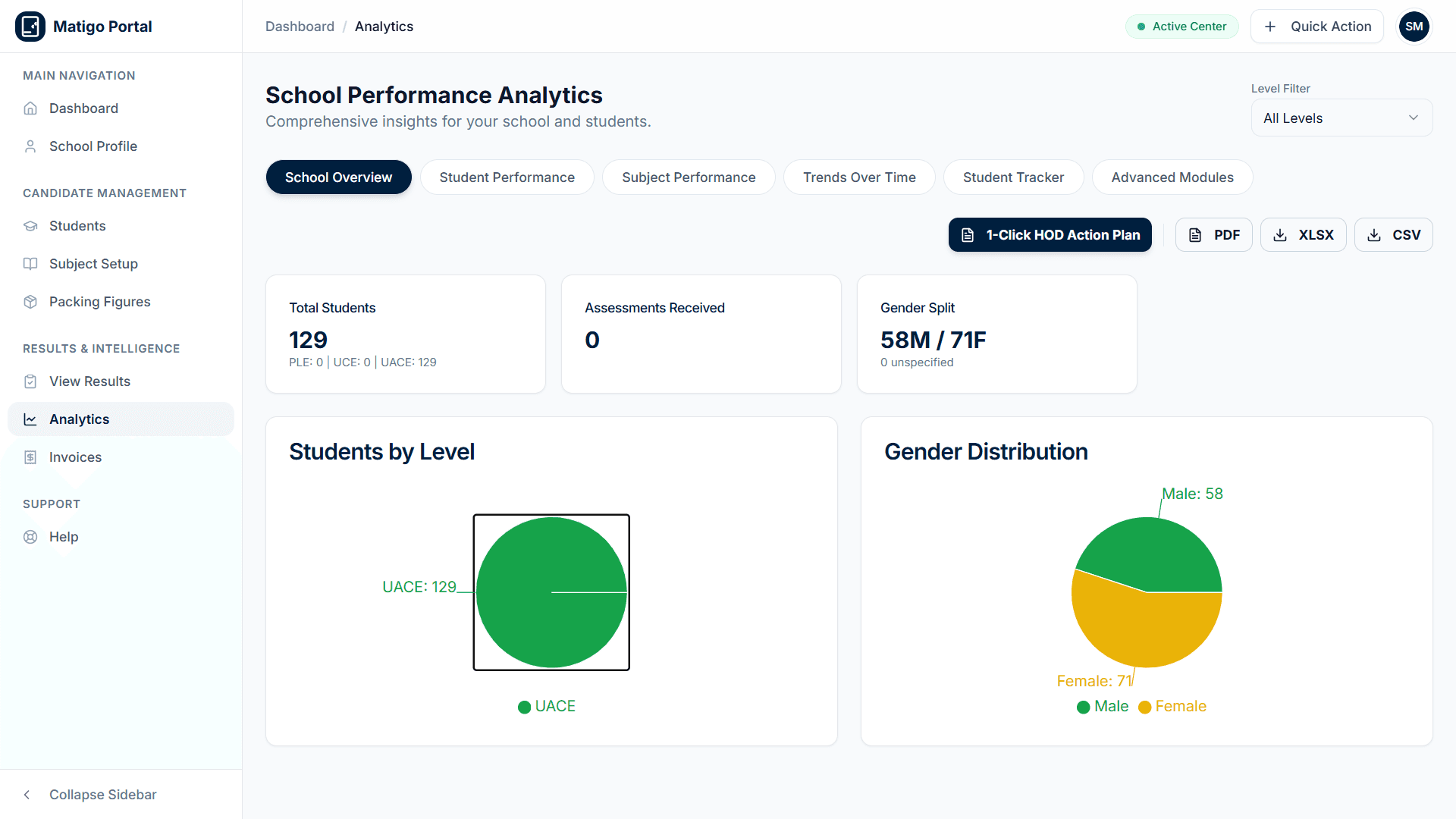
View your institution at a glance. The school overview dashboard aggregates total candidates, assessments received, candidate level ratios, and gender breakdowns into clean visual charts.
School leaders gain a reliable, centralized command center for monitoring academic health and operational status.
- Real-time candidate count and level distribution breakdown
- Institutional demographic pie charts for gender and levels
- Direct navigation to active assessments and student records
For Marks Entrants
Marks Entrant Workflow Features
Professional tools designed specifically for the educators who create assessments, grade student papers, and deliver audited results.
Assessment Creation & Distribution
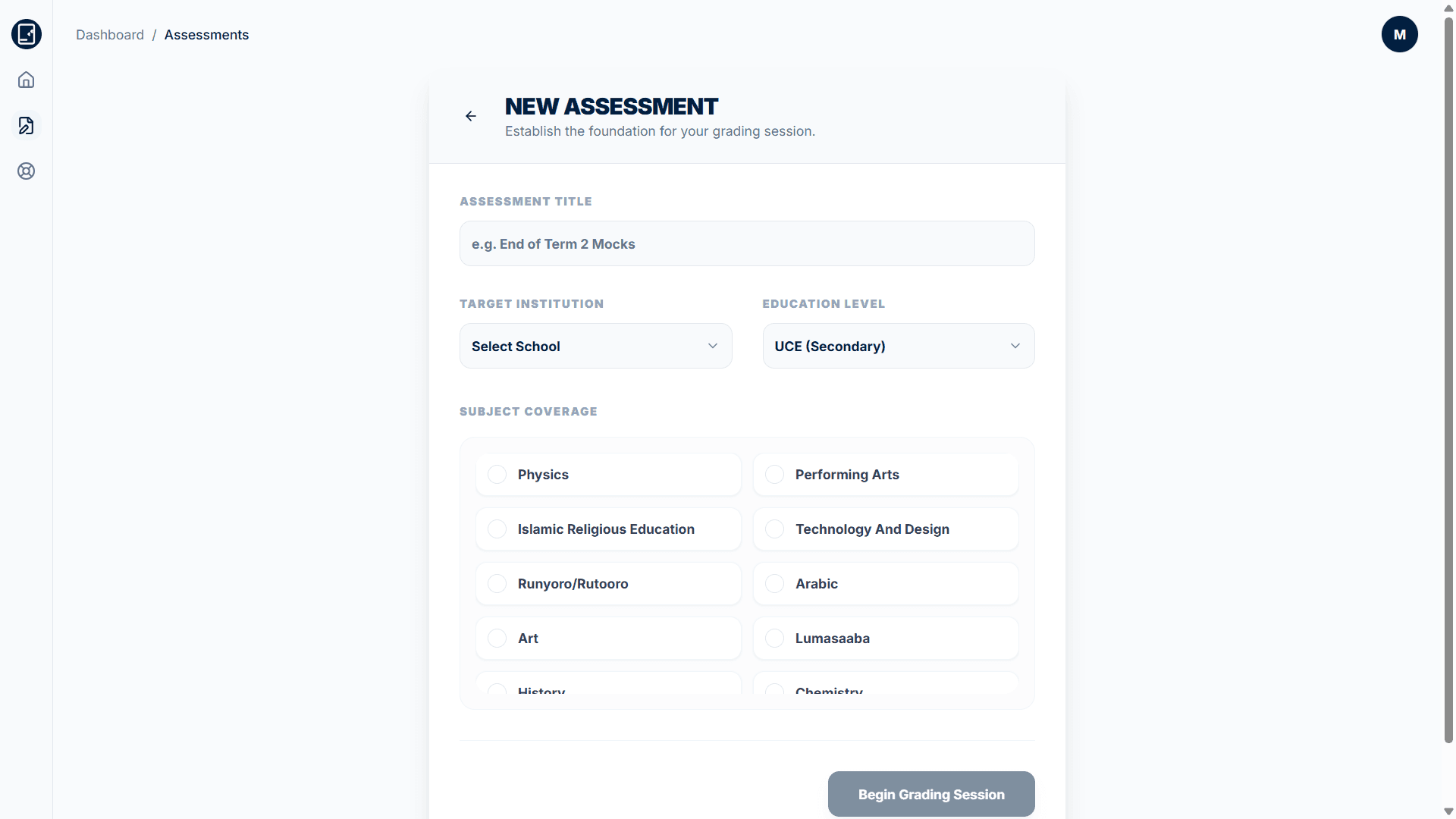
Establish new grading sessions with precision. Select the target school, education level (PLE, UCE, UACE), and choose exact subject coverage. The system configures candidate paper allocations and initializes secure scoring sessions.
- Institution and curriculum level selectors
- Custom subject coverage checkboxes with automatic paper mapping
Excel-Style Grid Marks Entry
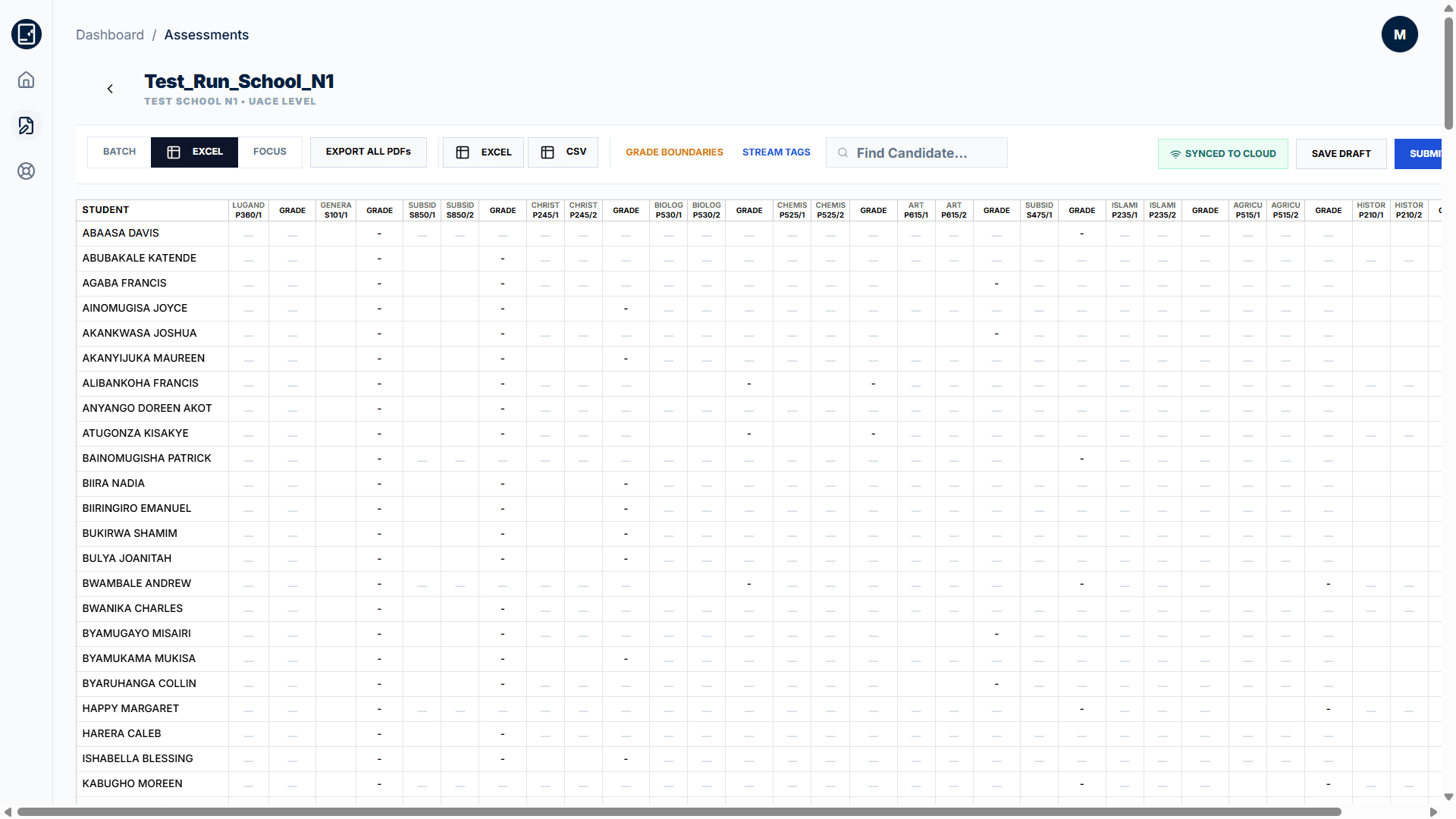
Grade at maximum speed with a full-width spreadsheet interface. Input marks across multiple candidates and papers simultaneously with keyboard navigation, instant cloud autosave, and real-time grade calculations.
- Spreadsheet grid with candidate names, student IDs, and paper columns
- Real-time cloud sync indicator and instant grade evaluations
Submission Audit & Result Delivery
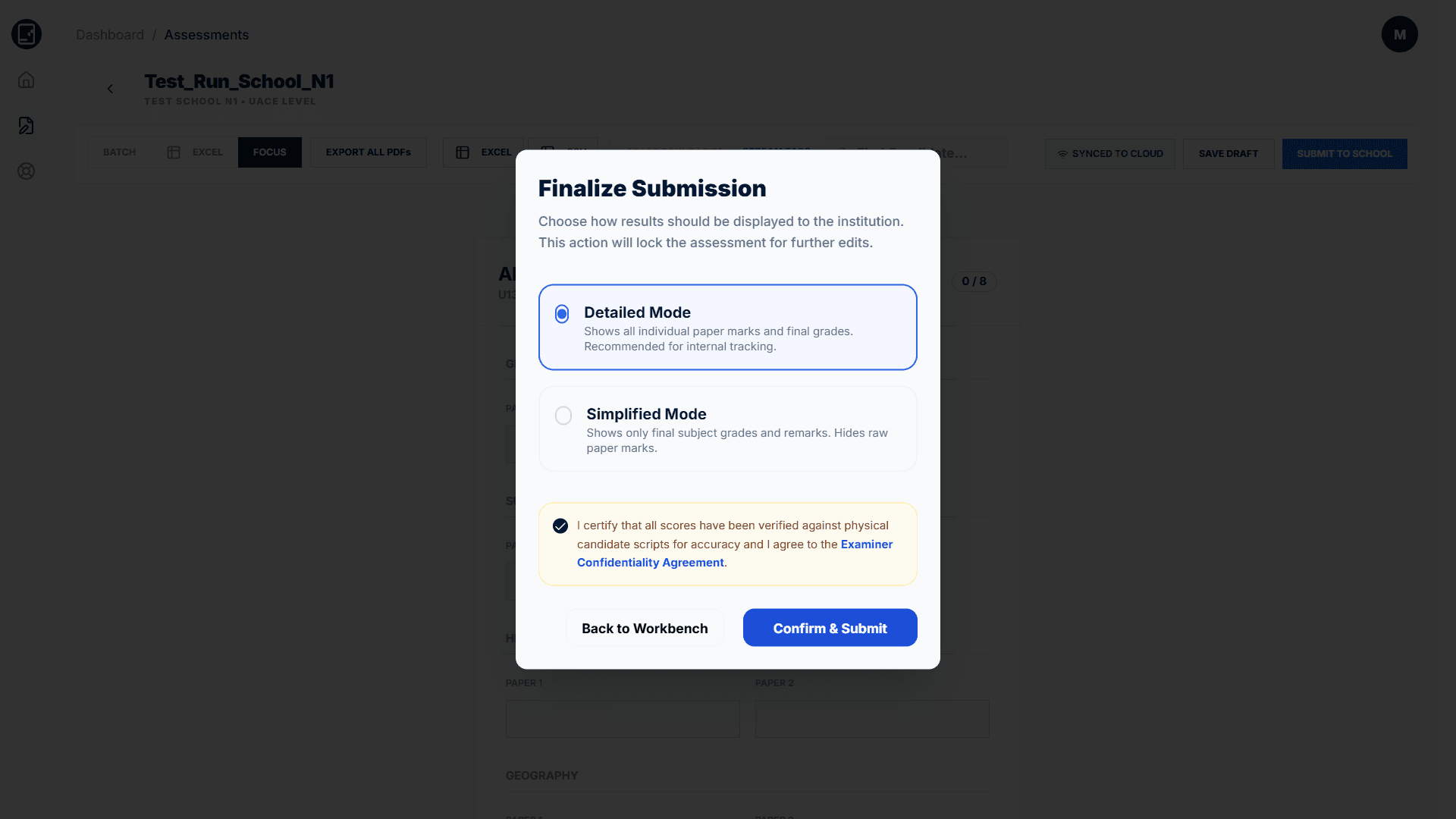
Ensure complete assessment integrity. Before publishing results to the school, select display modes (Detailed vs. Simplified) and complete mandatory examiner certification to lock results against tampering.
- Detailed Mode (raw marks & grades) vs. Simplified Mode selector
- Examiner confidentiality agreement & physical script audit check
For Administrators
Administrative Controls
Oversight tools for managing the entire examination ecosystem.
Registration Management
Review and approve school and marksEntrant registrations. Verify institutional accreditation and marksEntrant qualifications before granting platform access.
Subject & Grading Configuration
Configure subjects, papers, and grading schemes for each examination level. Set grade boundaries, UACE point values, and subsidiary pass thresholds.
Marks Entrant Assignment
Assign marksEntrants to specific assessments based on subject expertise. Control which marksEntrants can access and grade which schools and subjects.
System Analytics
Monitor platform usage, track assessment completion rates, and view system-wide performance data across all registered schools and marksEntrants.
Ready to Transform
Your Exam Management?
Start managing PLE, UCE, and UACE mock examinations with the platform built specifically for Uganda's education system.